


This month, one of our early testers, a brand consultant named Jen, received a “Request for Proposal” from a vendor she works with all the time. She was expecting a quote from them. The email came from her contact’s actual corporate address, with his normal signature:
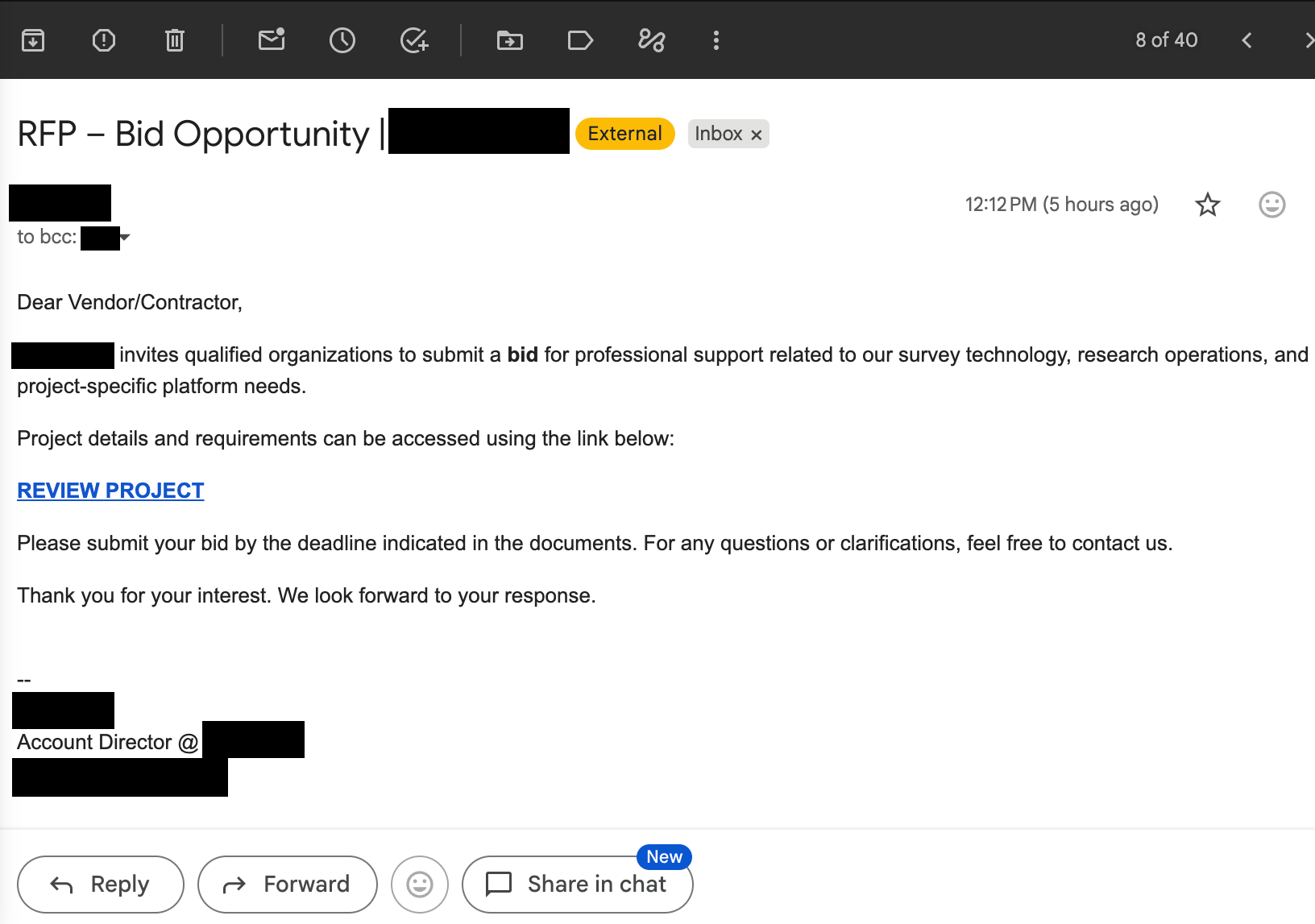
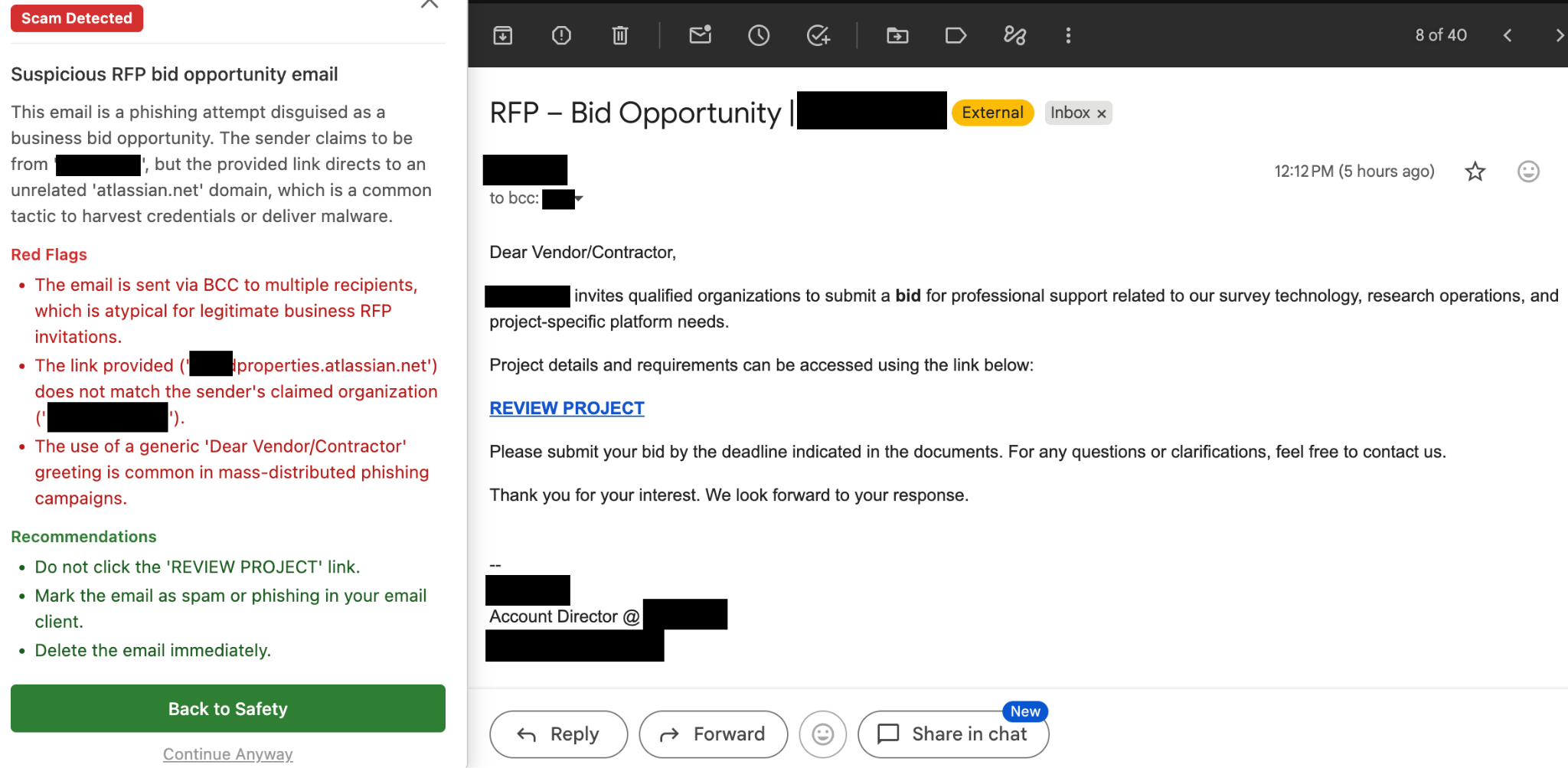
The ‘REVIEW PROJECT’ link led to a phishing page which imitated a Google login. Luckily, Jacana protected her with a timely alert:
“I was expecting a quote for some research from a vendor I work with all the time. I received this. But I didn’t click! Thank you Jacana!”
I’d like to highlight three things about this scam:
1. The message was realistic, and it was customized. The adversary had access to the vendor’s email account, which means they had access to the vendor’s entire email history. With AI, scammers can read that history and build a targeted approach for every single person the compromised account has ever talked to. And they can do this in just seconds. This email was written specifically for Jen, from someone she knew, with his normal signature.
2. These scams are very easy to make. The email is automatically tailored to maximize the chance you click the link. Everything after that is off the shelf. Last month I wrote about an event invitation from a colleague. After the click, the rest of that scam was identical to this one: a phishing page impersonating Google to collect login credentials, then the account gets used to send similar phishing emails to everyone the victim has ever talked to. Each compromised account produces more than one new compromised account, so it grows virally until nearly everyone with an email address has been targeted.
3. This was not a one-off. Jen received emails from additional vendors whose accounts had also been compromised. Scammers can try again and again, automatically and for free, until one lands. And once one lands, your email address goes on a list that records exactly what you fell for, which then gets sold to other scammers running their own schemes.
What happened next
Later that afternoon, the vendor sent Jen a followup email:
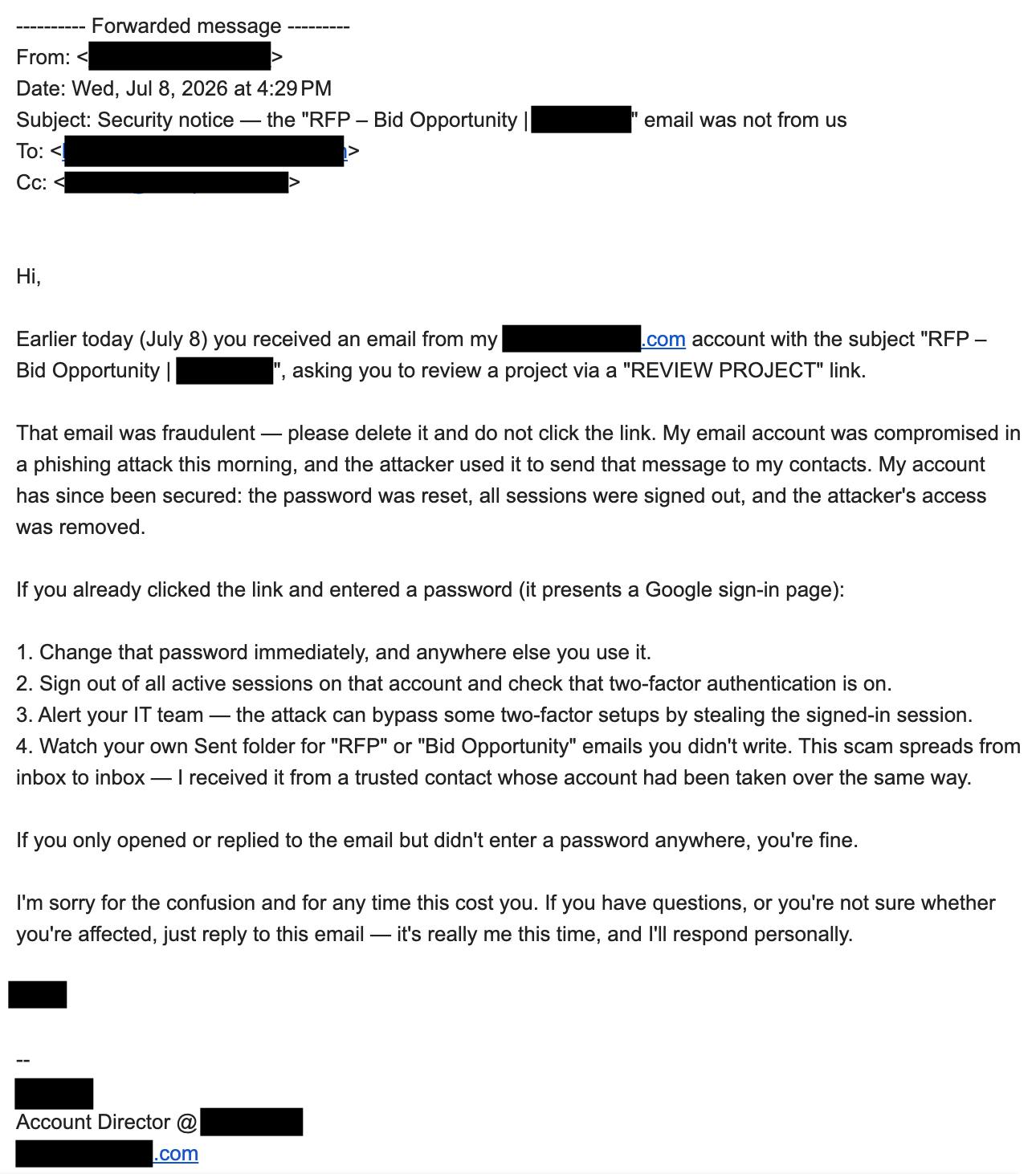
It was a great email. The subject line named the exact email so recipients could find it. He said plainly that it was fraudulent and not to click. He explained what had already been fixed on his end (password reset, all sessions signed out, attacker access removed). He gave recovery steps for anyone who had already entered a password. And he included a small, human line at the end: “it’s really me this time.”
But it was too late. The phishing email went out at 12:12 PM. The notice arrived at 4:29 PM. That is a normal, even fast, human response time for discovering a compromise, securing your account, and writing a careful note to your contacts. It is also four hours in which every person on that list was unprotected. The followup helps, but most of the damage was already done by the time it landed. Jen was only safe because Jacana warned her in real time.
“The scam spreads from inbox to inbox – I received it from a trusted contact whose account had been taken over the same way.”
The vendor was unfortunately a victim of the same scam, one link back in the chain. His day became locking down the account, reconstructing who got hit, and writing these emails. He had to absorb the reputational hit of telling every client he works with that his account was taken over. And he still doesn’t know what was read, copied, or kept from years of his email, or what it will be used for later.
What you can do to stay safe
Turn on passkeys. A passkey is tied cryptographically to the real website, so a fake login page cannot use it even if you try to hand it over. Google and Apple both support them and setup takes seconds.
If you see something weird, pause and verify. The name, the address, and the signature were all real, and the message was plausible. But there were subtle parts of the message that may have felt off – for example, the opener “Dear Vendor/Contractor,” the use of bcc list for a personal business email, or the link pointed somewhere unrelated to the company it claimed to be from. If something feels off, run a scam check for a second opinion, and if you’re still not sure, call the supposed sender to verify it’s authentic before clicking.
Use software to stay safe. These scams are getting really hard to spot on our own. Jen didn’t recognize this one. She was safe because Jacana was checking the page in real time, four hours before anyone told her to be careful.